We often hear it from our IT clients, “Our system is drowning us.” Their legacy information management platform takes forever to load the dashboard, and the team spends more time fighting the system than actually managing information.
The gap between what modern technology enables and what most businesses actually use has never been wider.
Let us walk you through the strategic and technical considerations of modernizing custom web app development for information management systems using React and Node.js. This isn’t about promoting a specific technology stack—it’s about understanding why certain architectural decisions matter, what the real costs and benefits are, and how to think about modernization as a business imperative rather than just an IT project.
The Current State of Enterprise Information Management
Here’s some context that should concern every business leader reading this.
According to IDC’s recent research, the global datasphere is expected to grow to 175 zettabytes by 2025. For perspective, that’s 175 trillion gigabytes. Yet here’s the paradox: while data volume explodes, most organizations struggle with basic information accessibility. A study by McKinsey found that employees spend nearly 20% of their workweek—one full day—just searching for internal information or tracking down colleagues who can help with specific tasks.
This isn’t a minor productivity issue. For a company with 1,000 employees, that’s 200 full-time equivalents spending their entire existence looking for information that should be readily available. At an average fully loaded cost of $75,000 per employee, that’s $15 million annually lost to information friction alone.
The root cause? Legacy information management systems that were designed for a different era—when documents were primarily static, collaboration meant email attachments, and mobile access was a nice-to-have rather than a necessity.
Consider the healthcare sector as a concrete example. A regional hospital network was managing patient records, clinical protocols, compliance documentation, and research data across a system built in 2009. Physicians spent an average of 16 minutes per patient encounter just navigating through various screens to find relevant medical histories, lab results, and treatment protocols. When time literally saves lives, those 16 minutes represent not just inefficiency but genuine patient risk. Multiply that across hundreds of daily encounters, and you’re looking at hours of lost clinical time that could be spent on actual patient care.
Or take the legal industry. A mid-sized law firm managing thousands of case files, contracts, depositions, and precedent research through a document management system designed for the pre-cloud era faces a different challenge. Associates bill by the hour, and when they spend 45 minutes searching for a specific contract clause that should take 2 minutes to find, that’s not just lost productivity—it’s either unbillable time or client dissatisfaction when they’re charged for inefficient research.
Manufacturing companies face yet another dimension of this problem. Engineering specifications, quality control documentation, supplier certifications, and compliance records need to be accessible to teams across design, production, and quality assurance. When a production line needs to reference the latest revision of a technical specification, delays of even a few minutes can halt operations costing thousands of dollars per hour.
Why Traditional Architectures Fail Modern Requirements
Let us address something fundamental about how information management systems were traditionally built, because understanding this explains why modernization isn’t optional—it’s existential.
Most legacy systems were built on monolithic architectures. Everything—user authentication, document storage, search functionality, reporting—lived in a single, tightly coupled application. This made sense in the 1990s and early 2000s when:
- User bases were smaller and more predictable
- Documents were primarily office files (Word, Excel, PDF)
- Access was primarily desktop-based during business hours
- Integration with other systems was minimal
But today’s requirements are fundamentally different:
Scale and Concurrency: Modern organizations need systems that support thousands of simultaneous users across global time zones. Research from Gartner indicates that the average enterprise application now needs to support 10x the concurrent users it did a decade ago, with 5x the data volume and 3x the transaction complexity.
Think about a global consulting firm with 15,000 employees across six continents. During peak hours—which essentially covers a 14-hour window due to global distribution—thousands of consultants are simultaneously accessing client deliverables, proposal templates, research databases, and project documentation. A system designed for 500 concurrent users in a single-office environment simply cannot handle this load without architectural reimagining.
Real-time Collaboration: The pandemic accelerated a trend that was already underway—the expectation of Google Docs-style real-time collaboration across all business applications. Static, document-centric workflows no longer match how knowledge work actually happens.
Device Agnostic Access: According to Statista, mobile devices now account for 54.8% of global web traffic. Yet most enterprise information systems were designed for desktop-first experiences, with mobile as an afterthought if it exists at all.
In the construction industry, this limitation is particularly acute. Project managers and inspectors need to access blueprints, safety protocols, inspection reports, and change orders while on job sites—rarely in front of a desktop computer. A superintendent trying to verify load-bearing specifications on a tablet while standing on a construction site cannot work with a system that requires a 24-inch monitor and a mouse. The information exists, but it’s functionally inaccessible when and where it’s actually needed.
API-First Integration: The average enterprise now uses 367 custom applications according to Okta’s 2023 report. Custom web app development for information management systems can’t exist in isolation—they need to integrate seamlessly with CRM, ERP, project management, and countless other tools.
Traditional monolithic architectures struggle with all of these requirements. They don’t scale horizontally efficiently. They can’t be updated without system-wide deployments. They weren’t designed for real-time data synchronization. And their APIs, if they exist, were often bolted on rather than built in.
The React & Node.js Paradigm: Why This Stack Matters
Today, React and Node.js have emerged as a compelling foundation for modern custom web app development for information management systems.
The Frontend Challenge: React’s Solution
The user interface is where information management lives or dies. If document retrieval takes more than 2 seconds, usage drops precipitously. If navigation requires more than 3 clicks, adoption suffers. If the interface doesn’t feel responsive, users find workarounds.
React addresses these challenges through several architectural innovations:
Component-Based Architecture: React’s component model allows you to build complex interfaces from small, reusable pieces. For a custom web app development for information management system, this means you can create a “DocumentCard” component once and reuse it across search results, folder views, recent documents, and shared items—ensuring consistency while dramatically reducing the overhead for custom web app development for information management system.
Here’s a real-world scenario. A pharmaceutical company needs to display drug development documentation across multiple contexts: research teams see documents organized by project phase, regulatory teams see them organized by submission requirements, and manufacturing teams see them organized by production schedules. Rather than building three separate interfaces, React’s component architecture allows you to build the document display logic once and simply wrap it in different organizational containers. When the FDA changes documentation requirements and you need to add a new metadata field, you update it in one place, and it propagates across all three views.
Virtual DOM and Reconciliation: Here’s where React gets technically interesting. Traditional web applications manipulate the browser’s DOM directly, which is slow. React maintains a virtual representation of the DOM in memory and uses a diffing algorithm to calculate the minimal set of changes needed. According to React’s own benchmarks, this approach is 2-3x faster for complex UIs with frequent updates—exactly what you need when displaying search results, real-time notifications, or collaborative editing.
Declarative Programming Model: Instead of writing imperative code that describes how to update the UI, you describe what the UI should look like in each state. This dramatically reduces bugs and makes the codebase more maintainable.
Think about permission management in an enterprise content system. With imperative code, you’d write logic like “if the user gains admin rights, show the admin menu, enable these buttons, change these labels, and unlock these features.” With React’s declarative approach, you simply describe “when user.isAdmin is true, render this interface.” The framework handles all the updates automatically. When permission models become complex—as they inevitably do in large organizations—this declarative approach prevents entire categories of bugs where the UI state becomes inconsistent with the underlying data.
Rich Ecosystem: React’s popularity (over 17 million weekly npm downloads) means there’s a mature ecosystem of libraries for every conceivable need—data grids, PDF viewers, rich text editors, drag-and-drop interfaces. You’re not building everything from scratch.
The Backend Challenge: Node.js’s Solution
The backend requirements for custom web app development for information management system are equally demanding. You need to handle:
- Thousands of concurrent file uploads and downloads
- Real-time updates pushed to connected clients
- Complex search queries across massive datasets
- Integration with cloud storage, authentication providers, and third-party APIs
- Background processing for tasks like document indexing and thumbnail generation
Node.js was architecturally designed for exactly these requirements.
Event-Driven, Non-Blocking I/O: This is the core innovation that makes Node.js different. Traditional server architectures (like Apache with PHP or Java servlet containers) allocate a thread per connection. With 10,000 concurrent connections, you need 10,000 threads, which is resource-intensive and doesn’t scale well.
Node.js uses an event loop with non-blocking I/O operations. A single Node.js process can handle tens of thousands of concurrent connections with minimal overhead. Research from PayPal showed that Node.js applications handled double the requests per second compared to their Java applications, with 35% faster response times, using fewer resources.
For an information management system where users are constantly querying, uploading, and downloading, this efficiency is transformative.
To contextualize this with an insurance company example: During peak periods—like natural disaster events when claims documentation floods the system—thousands of adjusters simultaneously upload damage photos, police reports, repair estimates, and claim forms while underwriters are accessing historical claim data and policy documents. A traditional thread-per-connection architecture would require massive server infrastructure to handle these spikes. Node.js’s event-driven model handles this with a fraction of the resources because most of the time, connections are waiting on I/O (reading from disk, writing to cloud storage, querying databases)—and Node.js doesn’t block while waiting.
JavaScript Everywhere: Using JavaScript for both frontend and backend isn’t just about developer convenience—though that matters. It enables sophisticated optimizations:
- Isomorphic rendering: You can render React components on the server for faster initial page loads, then hydrate them on the client for interactivity
- Shared validation logic: The same code that validates document metadata in the browser can validate it on the server
- Unified data models: Your TypeScript interfaces can be used across the entire stack
According to Stack Overflow’s developer survey, this unified approach reduces context switching and can improve developer productivity by 20-30%.
Microservices-Friendly: Node.js’s lightweight runtime makes it ideal for microservices architecture. You can decompose your information management system into discrete services—authentication, document storage, search, analytics—each independently deployable and scalable. Netflix, for example, runs thousands of Node.js microservices handling billions of requests daily.
Architectural Patterns for Modern Information Management
1. Microservices vs. Modular Monolith
There’s a persistent myth that you must choose between microservices and monoliths. In reality, a modular monolith—a well-structured application with clear internal boundaries—is often the right starting point, with the ability to extract services as needed.
Start with clear domain boundaries:
- Identity & Access Management: User authentication, authorization, role-based access control
- Document Management: File storage, versioning, metadata management
- Search & Discovery: Full-text search, filters, recommendations
- Workflow & Collaboration: Approvals, comments, notifications, activity feeds
- Analytics & Reporting: Usage tracking, audit logs, business intelligence
Build these as separate modules within a Node.js application initially. As specific modules face scaling challenges or need independent deployment cycles, extract them into standalone services. LinkedIn, for instance, started as a monolith and gradually extracted services—a pattern that’s proven more successful than starting with microservices prematurely.
2. State Management in React Applications
Custom web app development for information management systems has complex state requirements. You’re managing:
- Server state: Documents, users, permissions fetched from APIs
- UI state: Which modals are open, what filters are applied, sorting preferences
- Form state: Metadata being edited, upload progress
- Cache state: Previously fetched data that might still be valid
For server state, React Query (now TanStack Query) has emerged as the clear winner. It handles caching, background refetching, optimistic updates, and request deduplication automatically. React Query reduced server state management code by 60-70% compared to manual Redux implementations while improving perceived performance through intelligent caching.
For UI and form state, modern React’s built-in hooks (useState, useContext, useReducer) are often sufficient. The complexity of Redux is only justified when you have truly complex state interactions across many components—and even then, Redux Toolkit has simplified things considerably.
3. Real-Time Capabilities with WebSockets
Real-time updates are non-negotiable in custom web app development for information management systems. When someone comments on a document, edits metadata, or changes permissions, other users viewing that document should see updates instantly.
Node.js excels here. Using libraries like Socket.IO or native WebSocket support, you can maintain persistent connections with thousands of clients efficiently. The event-driven architecture means handling real-time events doesn’t block other operations.
A hybrid approach is recommended:
- Use WebSockets for true real-time updates (new comments, document locks, permission changes)
- Use HTTP polling with long timeouts for less time-sensitive updates (notification counts, background job status)
- Implement proper reconnection logic and conflict resolution for unreliable network conditions
4. Search Architecture
Search is the heart of information management, yet it’s often implemented poorly. Users don’t think in folder hierarchies—they think in keywords, concepts, and context.
Why Elasticsearch is recommended as search backend:
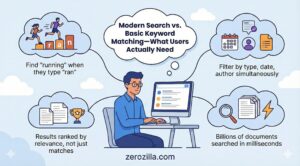
- Full-Text Search with Relevance Scoring: Elasticsearch uses TF-IDF and BM25 algorithms to rank results by relevance, not just keyword matching. It handles stemming (searching “running” finds “ran”), synonyms, and fuzzy matching automatically.
- Faceted Search: Users can filter by document type, date ranges, authors, tags, and custom metadata—all with live counts showing how many results each filter would yield. This is technically complex to implement but Elasticsearch provides it out of the box.
- Performance at Scale: Elasticsearch is designed to search billions of documents in milliseconds. It scales horizontally by sharding data across nodes.
5. Document Storage and CDN Strategy
Here’s a critical architectural decision: where do you actually store documents?
The database is not the answer. Storing files in PostgreSQL or MongoDB bloats your database, complicates backups, and creates performance bottlenecks.
The modern approach is to separate metadata from content:
- Metadata in a database: Document titles, tags, permissions, version history, relationships—structured data that needs to be queried and joined
- Content in object storage: The actual files in AWS S3, Google Cloud Storage, or Azure Blob Storage
- CDN for delivery: CloudFront, Cloudflare, or Fastly to cache and deliver files from edge locations close to users
This architecture provides several benefits:
- Scalability: Object storage scales infinitely without operational overhead
- Cost: S3 standard storage costs $0.023 per GB/month—orders of magnitude cheaper than database storage
- Performance: CDNs can serve files with sub-100ms latency globally
- Security: You can generate signed URLs with expiration times, granting temporary access without exposing storage directly
Node.js excels at orchestrating this. It can stream uploads directly to S3, generate presigned URLs for downloads, and handle multipart uploads for large files—all efficiently due to its streaming capabilities.
6. Security and Compliance Architecture
Information management systems are security-critical. They contain the intellectual property, financial data, customer information, and strategic documents that define an organization.
Zero-Trust Access Control: Implement attribute-based access control (ABAC) where every request is evaluated against user attributes, resource attributes, and environmental context. Never trust, always verify. Libraries like Casbin provide sophisticated policy engines for Node.js.
Encryption at Every Layer:
- In transit: TLS 1.3 for all communication
- At rest: Server-side encryption for all stored documents
- In use: For highly sensitive data, consider end-to-end encryption where documents are encrypted client-side before upload
Audit Logging: Every action—who accessed what document when, what changes were made, what permissions were granted—must be logged immutably. This isn’t just for compliance; it’s for forensic analysis when (not if) security incidents occur.
Rate Limiting and DDoS Protection: Implement intelligent rate limiting at the API gateway level. Tools like Redis-backed rate limiters in Node.js can handle millions of requests per second while blocking abusive patterns.
According to IBM’s Cost of a Data Breach report, the average cost of a data breach is $4.45 million. The architectural decisions you make here directly impact your organization’s risk exposure.
Performance Optimization Strategies
Frontend Optimization
Code Splitting: Use React’s lazy loading to split your application into chunks that load on demand. Initial page load should be under 200KB. According to Google’s research, 53% of mobile users abandon sites that take longer than 3 seconds to load.
Virtual Scrolling: When displaying large lists of documents, render only what’s visible on screen. Libraries like react-window can handle lists with 100,000+ items smoothly by only rendering the visible subset.
Optimistic UI Updates: When a user performs an action (like favoriting a document), update the UI immediately while the server request happens in the background. This makes the interface feel instantaneous even with network latency.
Service Workers for Offline Support: Implement Progressive Web App (PWA) capabilities so users can browse previously viewed documents even without connectivity. This is particularly valuable for field workers or during connectivity issues.
Backend Optimization
Database Query Optimization: Use connection pooling, prepare statements, and optimize indexes ruthlessly. In Node.js, libraries like node-postgres or Prisma provide excellent connection management.
Caching Strategy: Implement multi-tier caching:
- Browser cache for static assets (30 days)
- CDN cache for documents and media (7 days, invalidated on change)
- Redis cache for API responses (minutes to hours depending on volatility)
- Application-level cache for computed results using memoization
Asynchronous Processing: Heavy operations like document indexing, thumbnail generation, or PDF text extraction should happen asynchronously. Use job queues (Bull, BullMQ) backed by Redis. This keeps your API responsive while processing happens in background workers.
Database Read Replicas: For read-heavy workloads (which information management always is), use read replicas to distribute query load. PostgreSQL supports streaming replication with minimal latency.
Migration Strategies: The Make-or-Break Decision
Here’s where many modernization efforts fail: they treat migration as an afterthought. In reality, migration strategy often determines success more than technology choices.
Here are three viable approaches:
1. Big Bang Migration
Replace everything at once during a planned maintenance window. This works only for:
- Small to medium data volumes (under 1TB)
- Well-defined, stable requirements
- Strong organizational tolerance for risk
- Systems where parallel running isn’t feasible
2. Strangler Fig Pattern
This is the recommended approach for most organizations. Named after the strangler fig tree that grows around its host, you gradually replace the old system with the new one:
- Build new functionality around the edges of the legacy system
- Gradually migrate features and data
- Maintain both systems during transition
- Eventually retire the legacy system when it’s hollowed out
This approach is lower risk, allows for learning and adjustment, and maintains business continuity. The downside is longer timeline and temporary complexity of running two systems.
3. Data Sync with Cutover
Run both systems in parallel with bidirectional data synchronization, allowing rollback if issues emerge. Cut over when confidence is high.
This provides maximum safety but maximum complexity. It’s appropriate for mission-critical systems where downtime is unacceptable.
Regardless of approach, invest heavily in:
- Data validation: Checksum every migrated file, validate every metadata field
- Permission verification: Security errors during migration can be catastrophic
- Performance testing: Load test with 2-3x expected peak load
- User training: Technology adoption is ultimately a people challenge
Case Study: Modernizing a Legacy Information Management System
Overview
Zerozilla modernized an outdated, manually-driven information management system by rebuilding it on a scalable React + Node.js architecture. The new solution improved visibility, streamlined workflows, and gave the organization a future-ready digital foundation.
Solutions Implemented
- Re-engineered the legacy platform using React.js for a responsive and unified user experience.
- Built a robust Node.js backend with modular APIs and secure authentication.
- Migrated manual operations to a fully digitized workflow, reducing dependency on spreadsheets and email trails.
- Introduced role-based access control to manage user permissions and data governance.
- Integrated automated data validation to minimize human errors.
- Improved platform performance with optimized database queries and scalable architecture.
Key Features
- Centralized dashboard for real-time information tracking
- User-friendly interface with intuitive navigation
- Document and record management with version history
- Multi-level approval workflow
- Automated notifications and reminders
- Analytics with insights for better decision-making
- Secure login with JWT-based authentication
Impact Delivered
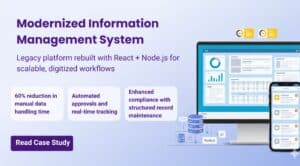
- 60% reduction in time spent on manual data handling
- Improved data accuracy and minimized operational errors
- Faster approvals through automated workflow routing
- Higher team productivity with simplified interfaces and task automation
- Better compliance through structured record maintenance
- A scalable system ready for future integration and expansion
Read full case study: Custom Web App Development for Information Management System
Why It Matters
Modernizing legacy systems is no longer optional—organizations need digital platforms that are fast, reliable, and scalable. This transformation empowered the client to work smarter, not harder, giving stakeholders accurate information, faster workflows, and a more secure digital ecosystem.
The Strategic Implications
Information management isn’t an IT issue—it’s a strategic capability. Organizations that can find, share, and act on information faster than their competitors have a fundamental advantage.
McKinsey’s research shows that companies in the top quartile of organizational effectiveness are 2.2 times more likely to have excellent knowledge management capabilities. This translates directly to faster decision-making, better customer service, more effective collaboration, and ultimately, superior financial performance.
Modern technology stacks like React and Node.js enable this not because they’re newer or trendier, but because they were designed for the requirements of today’s digital organizations: real-time collaboration, mobile-first access, API-driven integration, and global scale.
The question isn’t whether to modernize—it’s whether you can afford not to.
Moving Forward
If you’re considering modernizing your information management infrastructure, you must think about this as a transformation program, not a technology project.
Start by deeply understanding your current pain points—not through surveys or assumptions, but through direct observation and data analysis. Quantify the costs of the status quo. Define success metrics that matter to your business, not just technical KPIs.
Then approach architecture with clear principles: scalability, security, user experience, and maintainability. React and Node.js provide an excellent foundation, but they’re means to an end, not the end itself.
The organizations that win won’t be those with the most advanced technology—they’ll be those that most effectively translate technology into competitive advantage. And that starts with treating information as the strategic asset it truly is.